
Deep links that sell your offers
Send guests straight to a package or promotion in your booking engine, without hiding your other rates or confusing anyone along the way.
Never lock guests into one rate
Guests who click a promotion often still want to check they’re getting a good deal. Many open an OTA in another tab to compare before they book. If your other prices aren’t visible, that’s often where they end up booking.
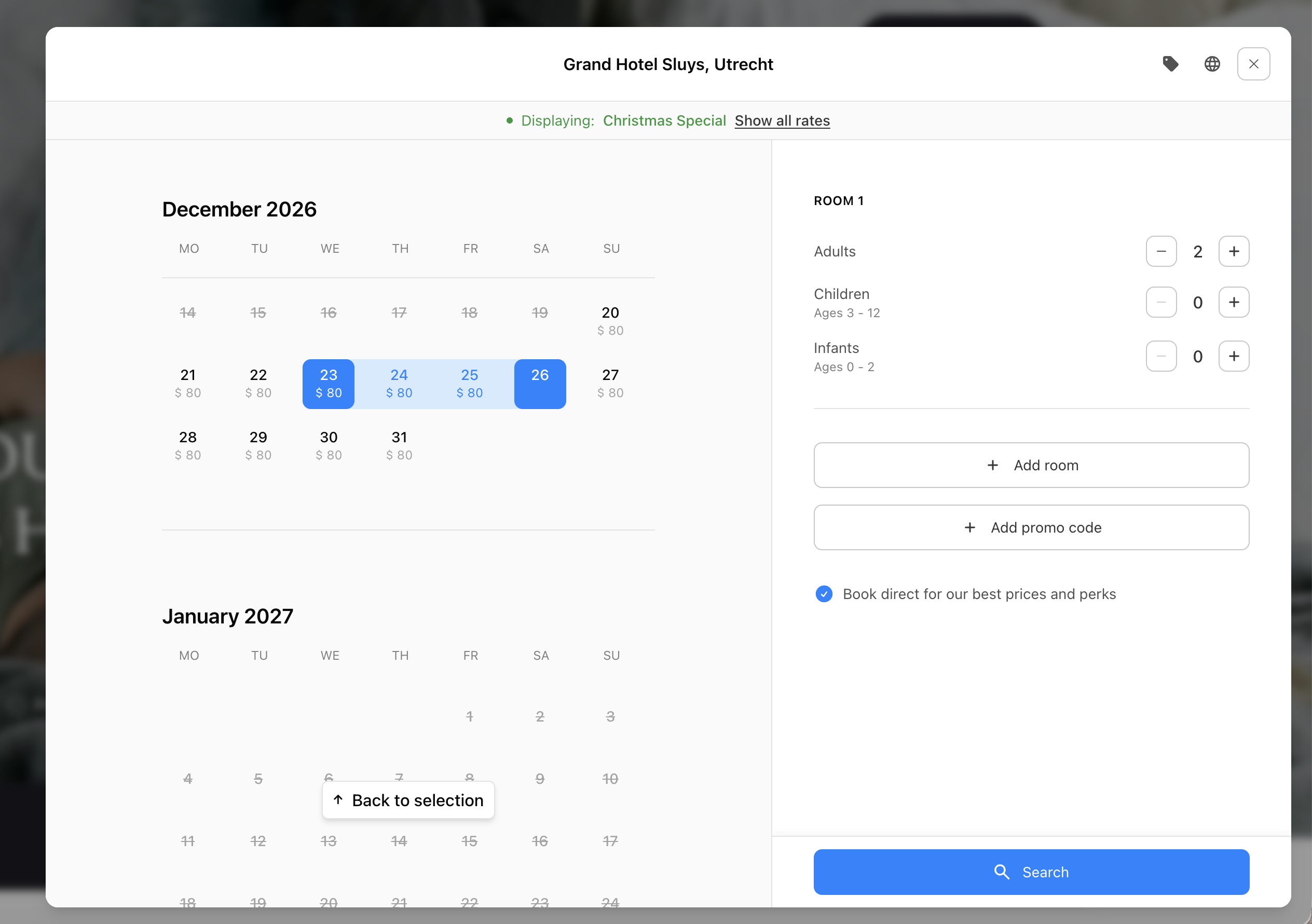
So the offer is shown first, with all your other rates one click away under “Show all rates”. When the guest is ready, “Display Christmas Special” brings the offer straight back. There’s no need to find the original email or ad again, and the dates they picked stay in place.
So the offer is shown first, with all your other rates one click away under “Show all rates”. When the guest is ready, “Display Christmas Special” brings the offer straight back. There’s no need to find the original email or ad again, and the dates they picked stay in place.


Always clear what guests are looking at
When only one rate is shown, guests should know it. Otherwise higher prices or limited dates can seem to apply to the whole hotel, making it look expensive or fully booked when it isn’t.
A banner above the calendar and rooms says exactly what’s on screen, such as “Displaying: Christmas Special”. An info icon shows the offer details and its main rules. Once a guest switches to all rates, they can close the banner, and it stays closed while they browse.
The calendar also scrolls straight to the first day the offer is available, so guests don’t have to hunt for it.
A banner above the calendar and rooms says exactly what’s on screen, such as “Displaying: Christmas Special”. An info icon shows the offer details and its main rules. Once a guest switches to all rates, they can close the banner, and it stays closed while they browse.
The calendar also scrolls straight to the first day the offer is available, so guests don’t have to hunt for it.
The price difference, right where guests decide
Packages are fun to browse, but when it’s time to choose, guests want to know what the extras cost compared to a normal stay. Without that, many leave the page to check the room-only price, and not all of them come back.
On the room page the offer is already selected, with “View more rates” and a “from” price right below it. Guests can compare the package with a standard stay and decide in one place. In the room list, every room with the offer is marked so it’s easy to spot.
On the room page the offer is already selected, with “View more rates” and a “from” price right below it. Guests can compare the package with a standard stay and decide in one place. In the room list, every room with the offer is marked so it’s easy to spot.

Help guests find the right dates
The calendar shows prices for the offer only and opens on the first date it’s available. A Christmas package opens in December, even when a guest is browsing in August. This works just as well for seasonal hotels that close for part of the year. Guests scroll smoothly through the months instead of clicking through them one by one.
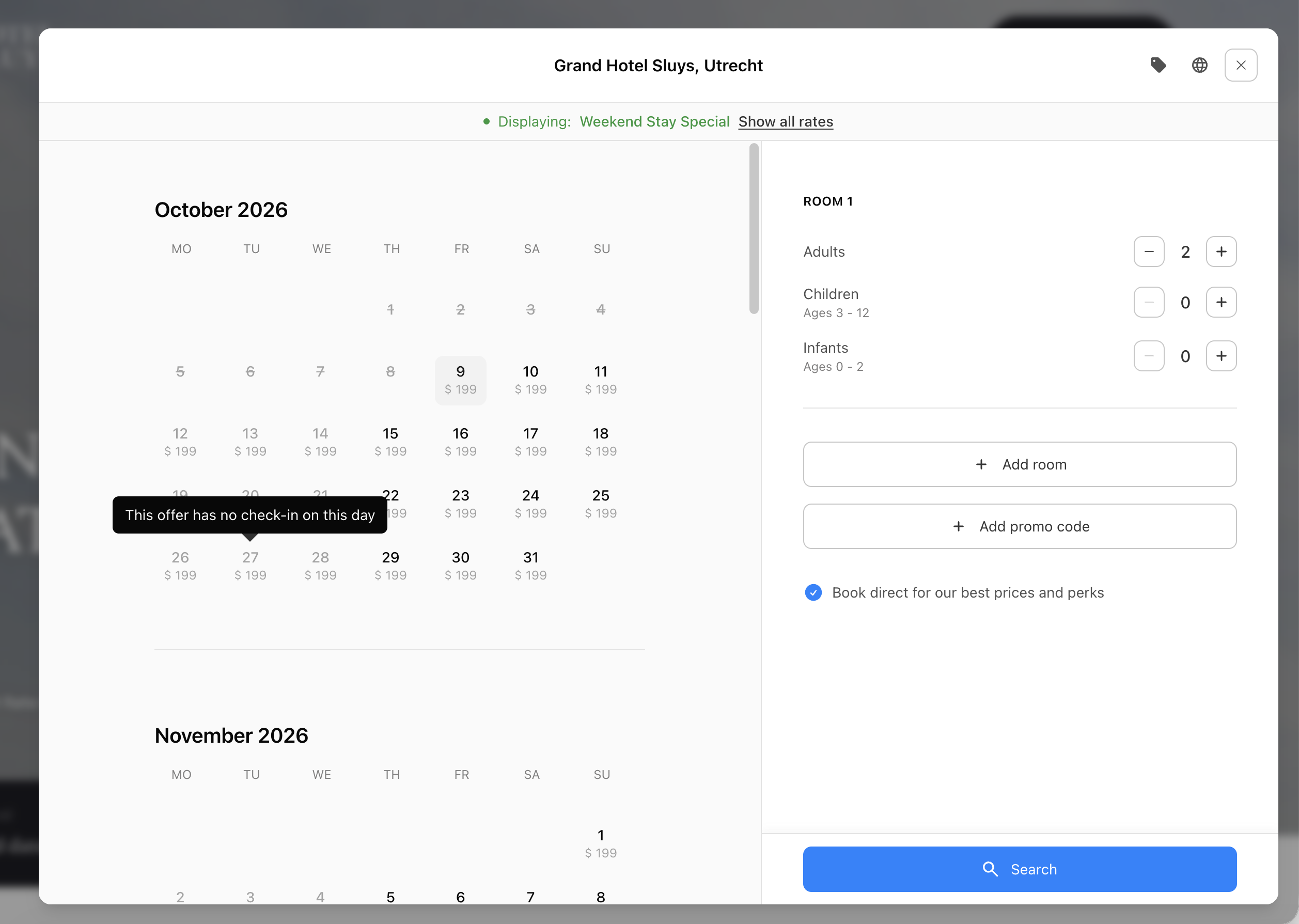
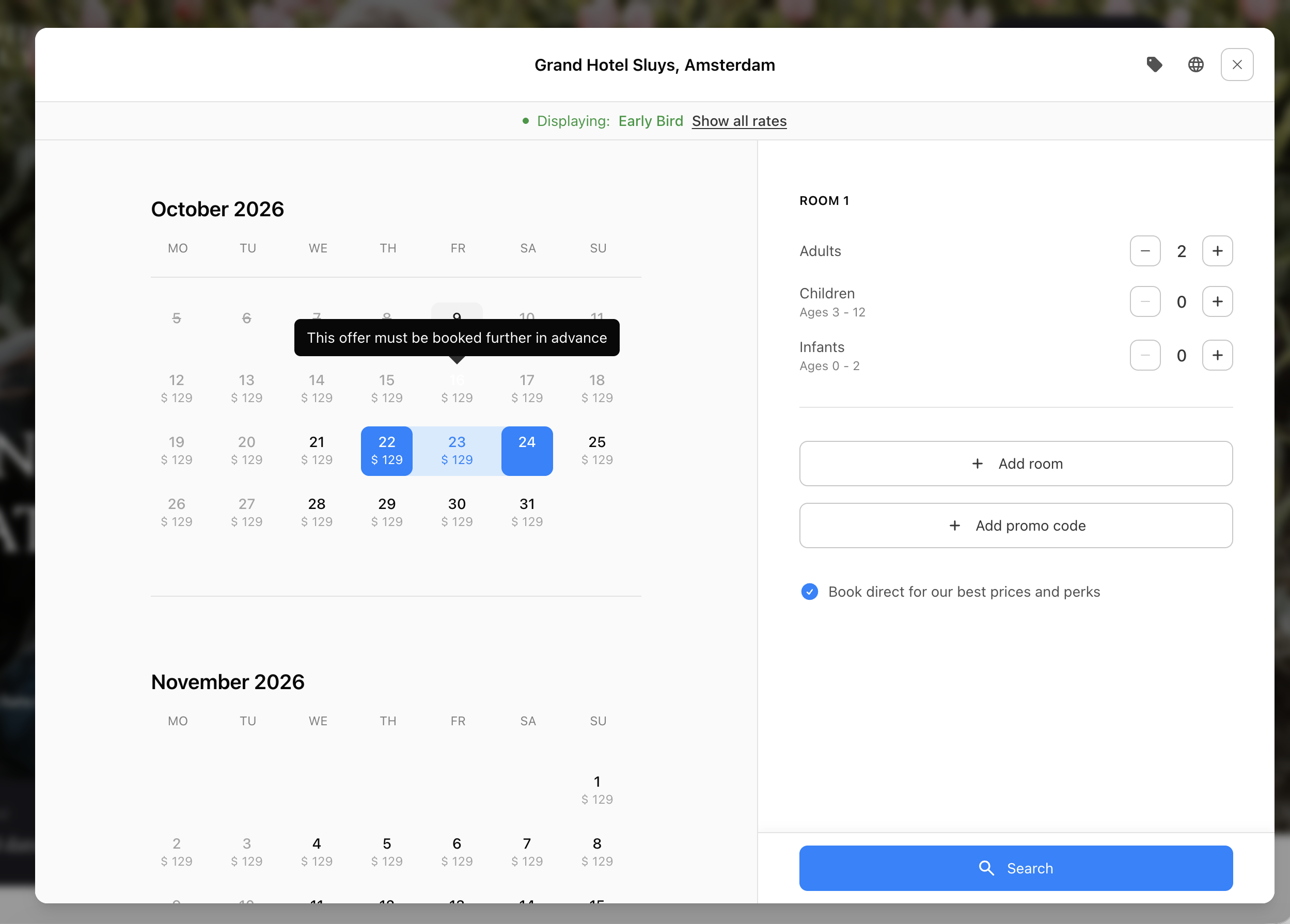
Offers often come with rules, like a minimum or maximum stay, days without arrivals or departures, or a booking window. If a guest picks dates that don’t fit, the calendar explains which rule applies, for example “This offer needs a minimum stay of 3 nights”. The guest can adjust straight away instead of assuming the offer is broken.
Offers often come with rules, like a minimum or maximum stay, days without arrivals or departures, or a booking window. If a guest picks dates that don’t fit, the calendar explains which rule applies, for example “This offer needs a minimum stay of 3 nights”. The guest can adjust straight away instead of assuming the offer is broken.



The smaller details
Deep links work as normal URLs, so you can use them in emails, ads, social posts and QR codes. On your own website they can open the booking engine right on the page, without loading a new one, so guests go from offer to calendar in a moment. If a guest clicks a different offer later, the new link takes over, so they always see what they just clicked.
No dead ends. If an offer sells out, guests see a short message and normal availability instead.
Straight to rooms. If guests have already picked dates, they skip the calendar and only see rooms where the offer is available.
Private rates stay private. Access or corporate codes can be added to a deep link, so private rates only open for the right guests.
No dead ends. If an offer sells out, guests see a short message and normal availability instead.
Straight to rooms. If guests have already picked dates, they skip the calendar and only see rooms where the offer is available.
Private rates stay private. Access or corporate codes can be added to a deep link, so private rates only open for the right guests.